
Hidden GTA 6 controls the game doesn’t explain
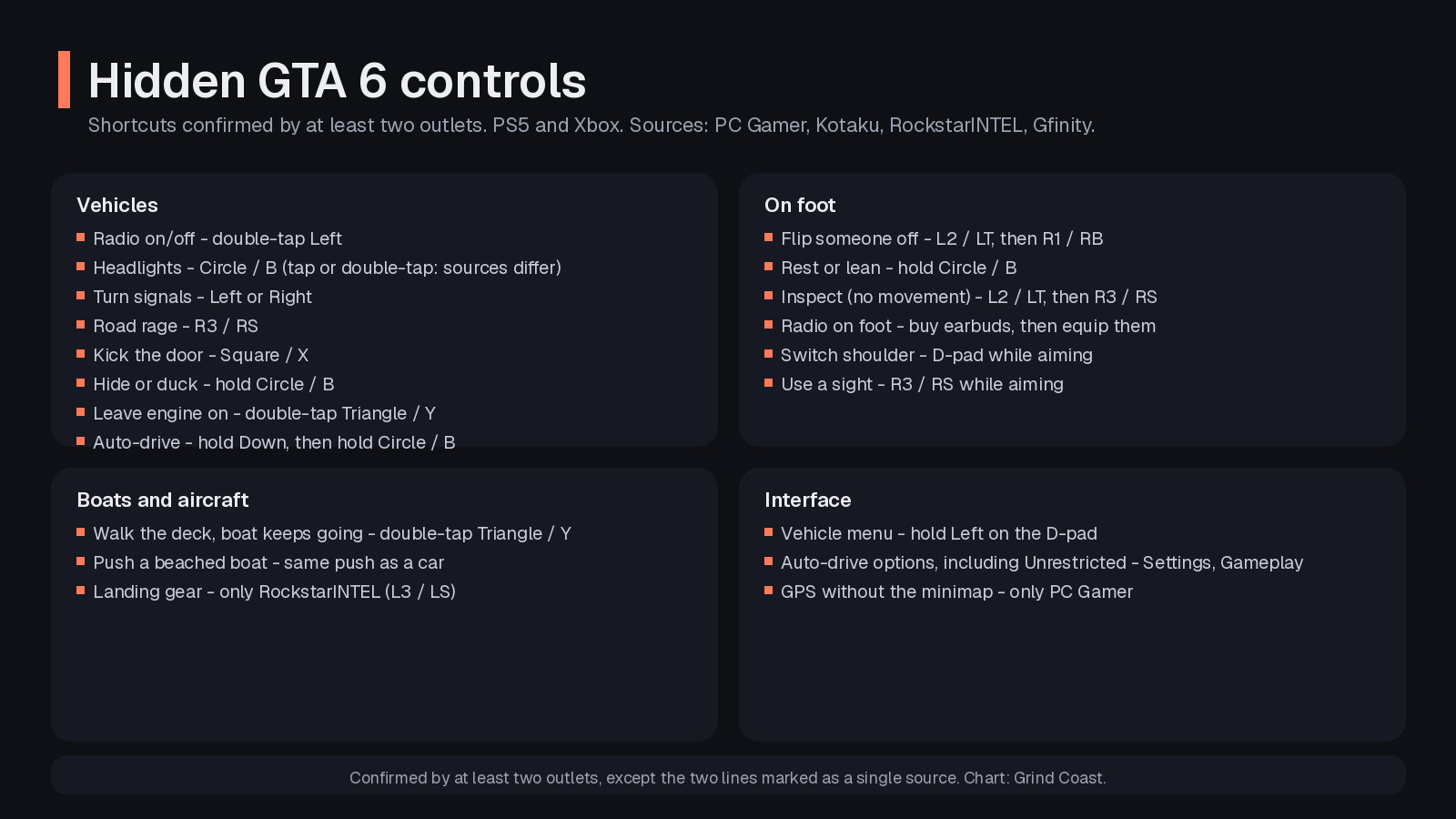
Several GTA 6 shortcuts are barely explained in the game; PC Gamer, Kotaku and RockstarINTEL independently describe the same ones for leaving the engine running, toggling the radio, road rage and walking a boat’s deck, with PS5 and Xbox buttons.
By Luis Moreno · Published November 21, 2026 at 15:54The essentials
- A shortcut is listed as confirmed only when at least two outlets describe it; otherwise we name the single source.
- Double-tap Triangle (PS5) or Y (Xbox) to leave the engine, lights and radio on when you get out, including on a boat.
- Sources disagree on the headlights shortcut: a single tap according to PC Gamer and RockstarINTEL, a double tap according to Kotaku.
GTA 6 hides a surprising number of shortcuts behind buttons the game barely explains. Morgan Park at PC Gamer, Zack Zwiezen at Kotaku and Aaron Trueman at RockstarINTEL have each published a list since launch. When the same command appears in at least two of those pieces, we treat it as confirmed and give the PS5 and Xbox buttons. If only one outlet describes it, we say so. Reddit threads are a signal - PC Gamer and RockstarINTEL both credit a crowdsourced list - not a source on their own.
Zwiezen writes that he had more than 150 hours in the game and still missed several of these. Some, he adds, do appear in the help menu (leaving the engine on, the road-rage button) but are easy to overlook; the radio and headlights shortcuts were not in that menu as far as he could tell. We have not played the game: every command below is attributed to the journalists who reported it. For the wider systems these shortcuts sit in, see the guides to vehicles, the HUD, radio stations and what to do first.
Vehicles
| Action | PS5 | Xbox | Confirmed by |
|---|---|---|---|
| Toggle the radio on or off | Double-tap Left on the D-pad | Double-tap Left on the D-pad | PC Gamer, Kotaku, RockstarINTEL |
| Headlights and high beams | Circle: see the note below | B: see the note below | All three, the input differs |
| Turn signals | Left or Right on the D-pad | Left or Right on the D-pad | PC Gamer, RockstarINTEL |
| Road rage (yell at drivers) | Press R3 | Press RS | PC Gamer, Kotaku, RockstarINTEL |
| Kick the door open | Tap Square | Tap X | PC Gamer, RockstarINTEL |
| Hide or duck in the car | Hold Circle | Hold B | PC Gamer, RockstarINTEL |
| Leave the engine, lights and radio on when exiting | Double-tap Triangle | Double-tap Y | PC Gamer, Kotaku, RockstarINTEL |
| Push a vehicle | Walk into it / L3; see the note on shoving | Walk into it / LS; see the note on shoving | PC Gamer, RockstarINTEL |
| Auto-drive | Hold Down, then hold Circle; see below | Hold Down, then hold B; see below | RockstarINTEL, Gfinity |
On headlights, the sources disagree. PC Gamer and RockstarINTEL describe a single press of Circle (PS5) or B (Xbox) to cycle the lights, including high beams. Kotaku describes a double tap of the same button, cycling between off, high beams and low beams. We cannot settle that from the articles alone.
On shoving a car once you are already pushing it, they also diverge: Park says to hold L3, Trueman says to hold Square (PS5) or X (Xbox). Both agree that you start the push by walking into the vehicle.
Auto-drive, described by RockstarINTEL and in more detail by Gfinity, needs a waypoint, then a hold of Down on the D-pad for the cinematic camera, then a hold of Circle or B to hand over the wheel. Gfinity adds that you can start it without a waypoint (the character then drives at random), use R2 or RT to go faster and L2 or LT to slow down, and hold Circle or B again to take back control. It also warns that the assistant stays on speed limits, can get stuck in traffic, still needs fuel, and is a poor choice for a wanted-level getaway. On a boat, Gfinity says auto-drive cuts out once you reach the shore if the marker is on land.
On foot
| Action | PS5 | Xbox | Confirmed by |
|---|---|---|---|
| Flip someone off | Hold L2, then press R1 | Hold LT, then press RB | PC Gamer, RockstarINTEL |
| Rest or lean | Hold Circle | Hold B | PC Gamer, RockstarINTEL |
| Inspect in first person (no movement) | Hold L2, then press R3 | Hold LT, then press RS | PC Gamer, RockstarINTEL |
| Listen to the radio on foot | Buy earbuds, then equip them | Buy earbuds, then equip them | PC Gamer, RockstarINTEL |
| Switch aiming shoulder | D-pad Left while aiming (RockstarINTEL also says Right) | D-pad Left while aiming (RockstarINTEL also says Right) | PC Gamer, RockstarINTEL |
| Use a gun sight or tighten your aim | Press R3 while aiming | Press RS while aiming | PC Gamer, RockstarINTEL |
The inspect view lets you look around and talk, but you cannot walk. Park says it is useful for reading posters and signs. Trueman adds that you can hold R2 or RT to zoom, and click R3 or RS again to exit. This is not a full first-person mode: GTA 6 still has no official option to play the whole game that way, and we are not documenting the bug some outlets have described to force it.
For radio on foot, both Park and Trueman say you buy earbuds or headphones and equip them. Park places the shop at Zeke’s Gadgets, in the map directory under the clothes icon, and puts the price at about 150 dollars; those two details are his alone.
On the rest gesture, Park says holding Circle or B is context-sensitive: you may lean on a rail, sit at the edge of a dock or a pool, or simply stand at ease. Trueman describes the same button as a lean on cars, walls or docks, and gives a separate command (hold L3 or LS) for resting on railings; that second input is his alone.
PC Gamer says locals do not like being flipped off.
Boats and aircraft
| Action | PS5 | Xbox | Confirmed by |
|---|---|---|---|
| Walk the deck while the boat keeps cruising | Double-tap Triangle at the helm | Double-tap Y at the helm | PC Gamer, Kotaku, RockstarINTEL |
| Push a beached boat back into the water | Push it as you would a car | Push it as you would a car | PC Gamer, RockstarINTEL |
The double-tap that leaves a car running is the same input that, at the helm of a boat, lets you walk the deck while the vessel keeps moving. All three main outlets describe it.
For aircraft, only RockstarINTEL describes a landing-gear toggle: click L3 or LS while flying. That stays in the single-source list below.
Interface
| Action | Where to find it | Confirmed by |
|---|---|---|
| Vehicle controls menu (windows, hazards, engine) | Hold Left on the D-pad (RockstarINTEL adds a Right Stick flick up) | PC Gamer, Kotaku, RockstarINTEL |
| Auto-drive settings, including Unrestricted | Settings, then Gameplay; Kotaku places Auto Drive under Accessibility in that tab | Gfinity, Kotaku |
Gfinity and a separate Kotaku piece on accessibility options both describe Auto Drive as a setting, with an Unrestricted mode. Gfinity says that, by default, auto-drive only works on paved roads, and that Unrestricted is found in Settings, under the Gameplay tab. Kotaku locates Auto Drive among the accessibility options at the bottom of that same Gameplay tab, and says Unrestricted can be used even when you are being chased, with a warning that the driving assistant may still hit objects or other cars.
Mentioned by only one outlet
A few useful commands appear in only one of the lists we read, so we do not treat them as confirmed:
- Interact with people from inside a vehicle by holding Up on the D-pad (PC Gamer).
- Navigation without the minimap: turn-by-turn directions, a GPS voice or tone, and a compass that still shows nearby icons (PC Gamer).
- Rest on a railing by holding L3 or LS (RockstarINTEL).
- Retract or deploy aircraft landing gear with L3 or LS (RockstarINTEL).
- RockstarINTEL also lists a long series of more specific moves (flicking a cigarette, sliding over a hood, siren tones in an emergency vehicle, towing a boat, storing melee weapons in the trunk). Until a second outlet describes them, we leave those to that article.
Our read
These shortcuts are most useful in the first hours, when you are still learning the vehicles and the HUD. The safest ones to adopt immediately are those all three lists share: the radio toggle, road rage, and leaving the engine on when you get out, including on a boat. Where two sources disagree (headlights, how to shove a car, whether the shoulder swap is only Left or also Right), treat both versions as unconfirmed until you see which one matches the help menu, or until a patch clarifies it.
What we don’t know
We do not know whether Rockstar will add clearer prompts in a later update. Park says he does not know if hiding in a vehicle works on bikes or boats. None of the outlets we read claims to have a complete list, and several of the longer RockstarINTEL entries still need a second source.
Sources
- PC Gamer, 15 hidden GTA 6 controls and features you should know about (Morgan Park, 20 November 2026)
- RockstarINTEL, 30+ Hidden GTA 6 Controls and Secret Mechanics You Probably Missed (Aaron Trueman, 21 November 2026)
- Kotaku, Here Are Some Super Useful Control Shortcuts GTA 6 Doesn’t Tell You About (Zack Zwiezen, 20 November 2026)
- Gfinity, GTA 6: How to use Auto Drive (Alister Kennedy, 20 November 2026)
- Kotaku, GTA 6 Has An Impressive Number Of Accessibility Options To Make The Game Less Frustrating (Imran Khan, 20 November 2026)
Checked November 21, 2026 · Published November 21, 2026 at 15:54