Guide · HUD
Read your screen in GTA 6.
Previews report up to 6 wanted stars with red icons for what the police know, a crosshair that turns yellow for down and red for dead, 3 bars, and a criminal profile that outlasts the chase.
The screen
The screen clears itself.
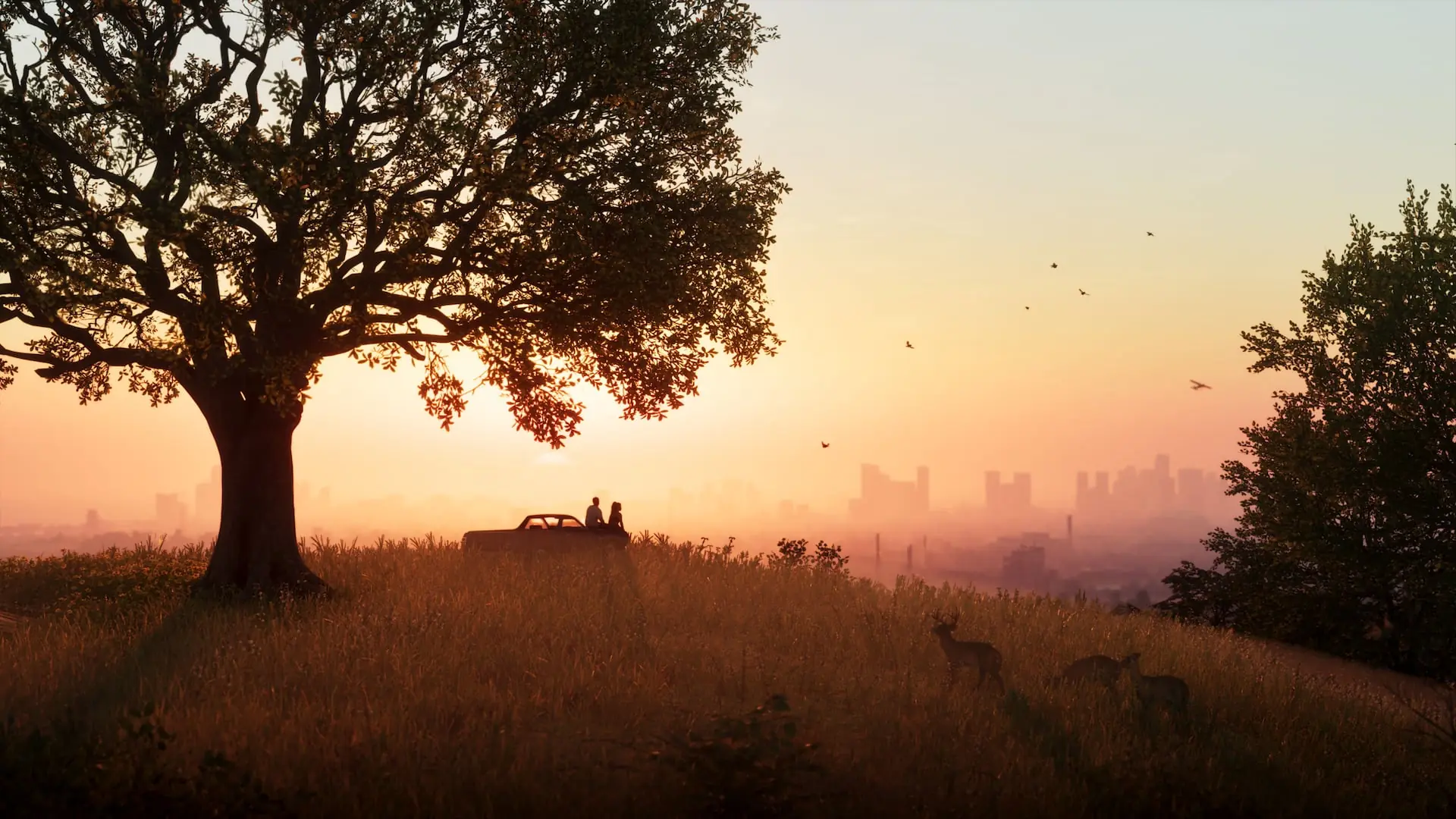
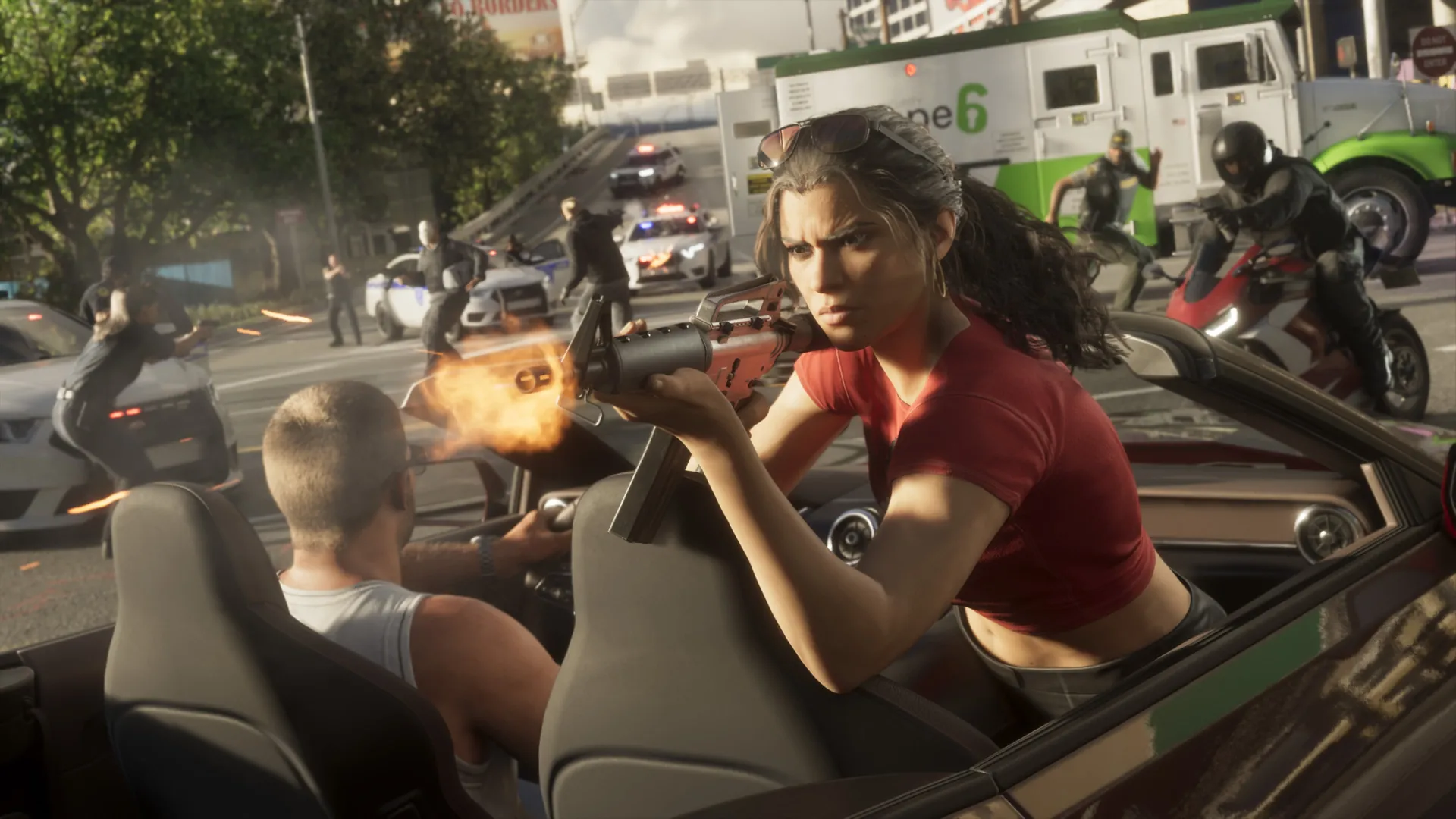
An Extended Look is Rockstar’s own gameplay video, “captured entirely from in-game footage on PlayStation 5,” Rockstar says; what each icon in it means is the press’s reading. In the default HUD that TGG describes from his Rockstar North preview, most of the display fades when it is not needed, and a tap down on the D-pad brings back the mini-map, your cash and the status bars for a moment. A Classic mode keeps the mini-map on screen, and a third option swaps it for a compass, GTA BOOM reports. The aim, in Rob Nelson’s words: keeping “the screen clean.”
OfficialWhat An Extended Look is: Rockstar’s Newswire
Reported, one sourceThe HUD that fades, Classic, compass: TGG’s preview, via GTA BOOM
Wanted level
Up to 6 stars, after a witness or an alarm.
“The Wanted system in GTA 6 requires that someone witness the crime, or an alarm needs to be set off for it to be reported to the law,” Rob Nelson of Rockstar North told IGN. In his words, 1 star is “not going to be too difficult to get away from.” In the Extended Look, GamesRadar+ saw the wanted level go up to 6 stars, where GTA V stopped at 5, with icons just below them for what the police know. GTA BOOM, from IGN’s preview, gives the same count. The police guide covers the search itself.
ReportedWitness or alarm, 1 star: Rob Nelson to IGN, relayed by GamesRadar+
Reported6 stars: GamesRadar+ on the Extended Look, GTA BOOM
Star colors
Star colors: 2 readings, none from Rockstar.
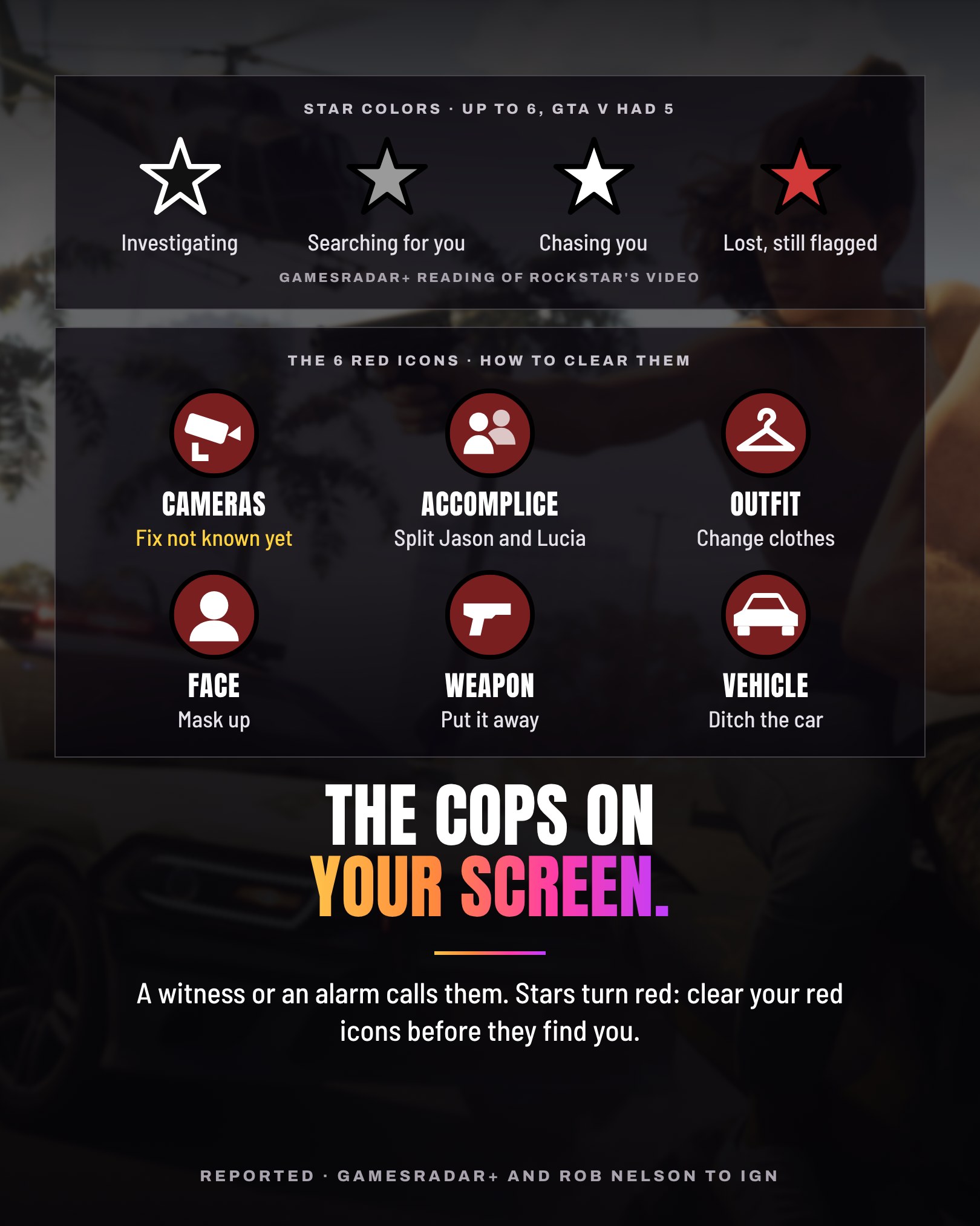
The stars change look with the state of the chase, and Rockstar has not said what each look means. GamesRadar+, cross-referencing the Extended Look with preview coverage, writes “I believe they mean”: black and white stars, the police are investigating without knowing who you are; gray, they know something about you and are searching; white, they are chasing you and have you in sight; red, you got away but they still hold what the red icons say. GTA BOOM’s page on the wanted system, built from preview notes, reads them differently: solid white, they see you; flashing white, you are losing them; hollow, an alarm went off without a description; red, you lost the direct pursuit but are still inside the search zone. The 2 agree on white and red and differ on the rest.
ReportedOne reading: GamesRadar+, from the Extended Look and previews
ReportedAnother: GTA BOOM, from preview notes
Heat icons
Red icons: what the police know about you.
Under the stars, red icons show the clues the police are using, from witnesses or their own observations. GamesRadar+ has counted 6 so far, in the top-right corner of the screen: security camera footage, accomplice, clothing, face, weapon and vehicle. Edge describes them as the contents of the police report you are trying to outrun. Playing for IGN, Rob Nelson pointed to them: “You can see with these little icons on-screen, the police know what we’re driving.”
ReportedThe 6 icons: GamesRadar+, from the Extended Look and previews
ReportedThe police report: Edge; the icons on screen: Rob Nelson to IGN
Clearing them
Clear the icons, 1 clue at a time.
Hiding the weapon or changing clothes loses that icon, GamesRadar+ says, and the effect appears to be instant: in the Extended Look, the vehicle icon goes the moment Lucia steps out of the car. Splitting up Jason and Lucia removes the accomplice icon, but if either of them is caught, you are Busted. Rob Nelson told IGN that a new outfit “will remove any heat that I have,” while GTA BOOM, from preview notes, says dealing with 1 clue does not necessarily deal with the others. A mask is a precaution for before the crime, both outlets say. For the cameras, GamesRadar+ advises avoiding or taking them out first and GTA BOOM lists destroying the footage; no source says what removes that icon once it shows.
ReportedClearing each icon: GamesRadar+, GTA BOOM
ReportedA new outfit: Rob Nelson to IGN
Mini-map
The mini-map shows a zone, not every officer.
In the Extended Look, the mini-map sits in the lower-left corner. During the 4-star chase it turns into a red search area instead of plotting each officer, with a red and blue marker on its edge pointing toward the police, GTA BOOM reports. Its page on the wanted system adds a larger, lighter red ring around that area, and says police no longer show on the mini-map: Focus reveals them through walls. At higher levels, GamesRadar+ says, the mini-map looks covered by flashing red and blue lights.
ReportedThe mini-map of the Extended Look: GTA BOOM
ReportedThe ring and Focus: GTA BOOM, from preview notes; the lights: GamesRadar+
Crosshair
The crosshair answers: white, yellow, red.
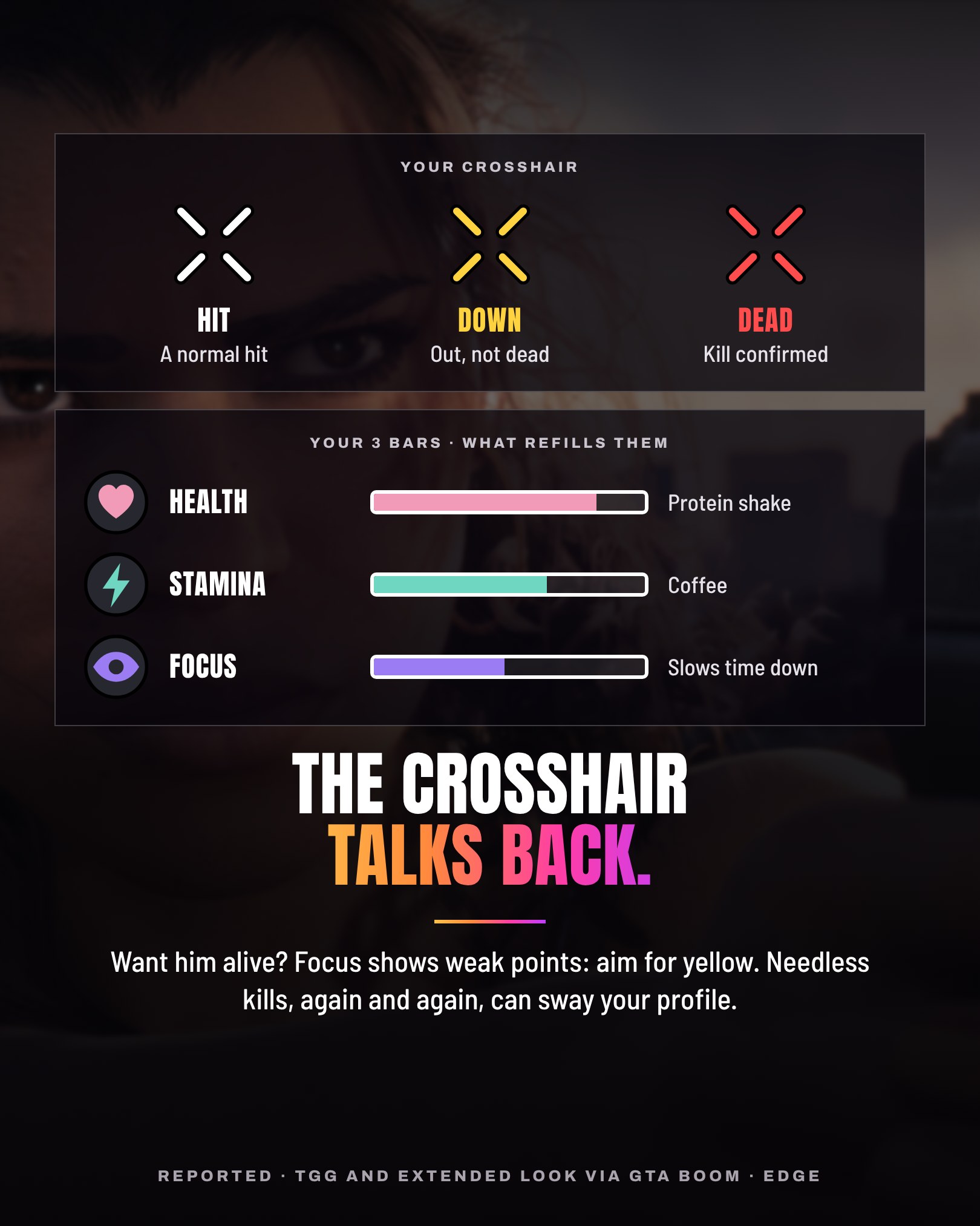
From TGG’s preview, GTA BOOM reports the hit markers: white marks a normal hit, yellow shows an incapacitation and red confirms a kill. Kotaku saw it in the Extended Look: during the apartment fight, the reticle flashes red after a kill and also flashes yellow, which Kotaku reads as a first look at taking people down without killing them. GTA BOOM adds that the edge of the screen flashes yellow when Lucia incapacitates a man in a fistfight. The shooting guide goes further.
ReportedWhite, yellow, red: TGG’s preview, via GTA BOOM
ReportedSeen in the Extended Look: Kotaku, GTA BOOM
Focus
Focus: the purple bar that slows time.
In the Extended Look, GTA BOOM reports, Jason and Lucia both appear to trigger a slow-motion mode, marked by a purple bar, that highlights weak points on enemies and vehicles, to pick apart specific spots or disarm a target. How freely it can be used is not clear: some slow-motion beats looked scripted. TGG, via GTA BOOM, calls it Focus: lethal areas light up in red, spots that can incapacitate in yellow. Kotaku saw red and yellow points on Jason’s target too. With the police after you, Focus also reveals them through walls, GTA BOOM reports from preview notes.
ReportedPurple bar, weak points: the Extended Look, via GTA BOOM
ReportedRed and yellow spots: TGG’s preview, via GTA BOOM; Kotaku
Bars
3 bars, and what refills them.
Per TGG, the top-left corner shows 3 bars: health, stamina and Focus. Working out and side activities raise them for good, and food, drinks and protein bars push them above their cap for a while, GTA Intel reports from his preview. Edge, watching Rob Nelson play, saw Jason pour a stamina-boosting cup of coffee and swig a health-buffing protein shake. In TGG’s gym example, a protein shake gives a temporary strength and stamina boost instead: the 2 accounts differ on the shake. No source says what refills Focus.
Reported, one sourceThe 3 bars: TGG’s preview, via GTA Intel
ReportedCoffee and protein shake: Edge
Money
Cash can be lost, and loot is not money yet.
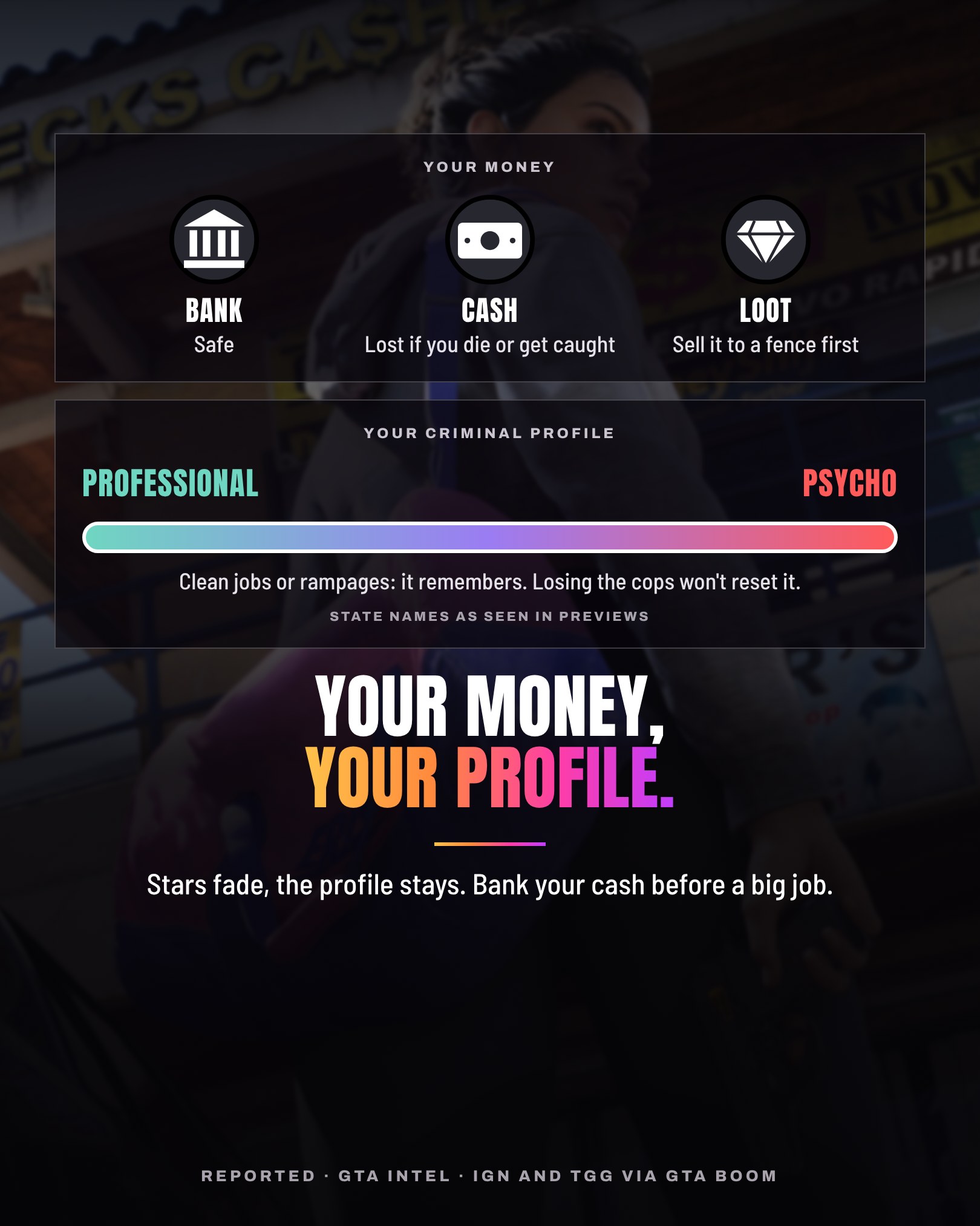
Your cash and your bank are separate, GTA Intel reports from several previews: the cash you carry is lost if you die or get caught, and the money in the bank is safe. Stolen goods are not money you can spend: jewelry, vehicles and other scores go through a fence first, GTA Intel and GTA BOOM report. Rockstar has not detailed the full bank rules, and the money guide gives the arrest and death cases source by source.
ReportedCash, bank and fence: GTA Intel, from previews
ReportedFences: GTA BOOM
Criminal profile
The criminal profile outlasts the stars.
IGN’s Rachel Weber noticed little icons telling you that you did a good or a bad thing; Rob Nelson answered that a system tracks what sort of criminal you are. Edge describes a scale from Professional to Irredeemable, shown with angel and devil icons. Unlike the wanted level, it does not wipe clean once you lose the cops, GTA BOOM reports from IGN’s preview, and Nelson told IGN it is going beyond what is necessary on a consistent basis that may sway it. YouTuber TGG names 4 states, Professional, Aggressive, Violent and Psycho, and says the profile’s notifications can be turned off. Rockstar has not confirmed these names. The criminal profile guide covers it in full.
ReportedIcons, scale, memory: IGN, Edge, GTA BOOM
Reported, one source4 states, notifications: TGG’s preview, via Vice
Our read
What it changes for you.
Red stars: clear your red icons
Both readings agree that red means the direct chase is over, not the search. Work on the red icons before they find you.
Mask on before, change after
A mask is a precaution for the crime itself. A full change of clothes and another car deal with 2 different icons.
Yellow is not red
A yellow crosshair means down, not dead. To take someone alive, aim for the yellow spots in Focus.
Bank your cash before a big job
Cash on you is what previews say you lose, and loot only pays once a fence buys it.
Stars fade, the profile stays
Losing the cops clears the chase, not the record. Needless kills, again and again, are what may sway it.
This is our reading of the previews, the interviews and the press’s reading of Rockstar’s video, not confirmed mechanics, and nothing here is tested. The page changes when a source we can link settles a point.
Not known yet
- What removes the camera icon once it shows.
- What each star color means, in Rockstar’s words.
- How freely Focus can be used, and what refills it.
- The full bank rules: when cash is lost, and whether banked money ever is.
- What moves a criminal profile from one state to the next.
Sources
- Rockstar Games, Newswire, “Grand Theft Auto VI: An Extended Look, now playing”: Rockstar’s own gameplay video, “captured entirely from in-game footage on PlayStation 5” (August 27, 2026).
- GTA BOOM, Matt Gibbs’s page on the minimap and HUD: the HUD that fades, Classic and compass modes from TGG’s preview notes, and the minimap of the Extended Look (September 10, 2026).
- IGN, Rachel Weber’s interview with Rob Nelson: a witness or an alarm, 1 star not too hard to escape, the little icons on screen and splitting up (August 27, 2026).
- GamesRadar+, Dustin Bailey relaying IGN’s interview: up to 6 stars in the Extended Look where GTA V stopped at 5, and the icons just below them (August 27, 2026).
- GTA BOOM, Matt Gibbs’s page on the Heat and wanted system, from TGG’s and IGN’s preview notes: its reading of the stars, the clues and how to deal with them, the search zones (October 9, 2026).
- GamesRadar+, Iain Wilson’s guide to Wanted Levels and Heat: its reading of the star colors, the 6 red icons and how to lose them (October 9, 2026, updated November 17, 2026).
- Edge, Simon Parkin’s cover feature on Rob Nelson’s Rockstar North demo, on GamesRadar+: the heat icons as the police report, a stamina-boosting coffee and a health-buffing protein shake, the Criminal Profile from Professional to Irredeemable (October 29, 2026).
- IGN, Rachel Weber’s full interview with Rob Nelson: a new outfit removes the heat, little icons for a good or a bad deed and the system that tracks what sort of criminal you are (October 7, 2026).
- GTA BOOM, Matt Gibbs on TGG’s preview: white, yellow and red hit markers, Focus, and the screen’s edge flashing yellow in the Extended Look (September 2, 2026).
- Kotaku, Zack Zwiezen’s details from the Extended Look: the reticle flashing red after a kill and yellow, and the red and yellow points in slow motion (August 27, 2026).
- GTA BOOM, Ray Ampoloquio on the Extended Look: the slow-motion mode and its purple bar, and a Criminal Profile that does not wipe clean when you lose the cops (August 27, 2026).
- GTA Intel, on TGG’s preview: the 3 bars of health, stamina and Focus, and the protein shake of the gym (August 27, 2026).
- GTA Intel, on the previews’ money system: cash lost if you die or get caught, a safe bank, and loot that has to go through a fence (August 28, 2026).
- GTA BOOM, Matt Gibbs’s page on robberies, loot and money: stolen goods sold to fences (November 7, 2026).
- Vice, Brent Koepp on TGG’s preview: the 4 states Professional, Aggressive, Violent and Psycho, and notifications that can be turned off (September 1, 2026).
Every point is Reported, from press previews, interviews and the press’s reading of Rockstar’s video; the one Official point is what An Extended Look is, in Rockstar’s own post. The HUD that fades, the 3 bars and the 4 state names rest on 1 preview, TGG’s: Reported, one source. The icons on the dossier’s cards are drawn by Grind Coast, not the game’s interface.
Checked on .
The 3 cards of the dossier
Images: official screenshots © Rockstar Games